The right-click your Mac was missing
New File Context Menu adds the Windows Explorer "New > File" menu to the Mac Finder. Right-click, pick a type, start typing.
Download on the Mac App Storecoming soon
New File Context Menu adds the Windows Explorer "New > File" menu to the Mac Finder. Right-click, pick a type, start typing.
Download on the Mac App Storecoming soonSwitched from Windows and keep reaching for that menu? Now it's in every Finder window and on the desktop, exactly where your muscle memory expects it.
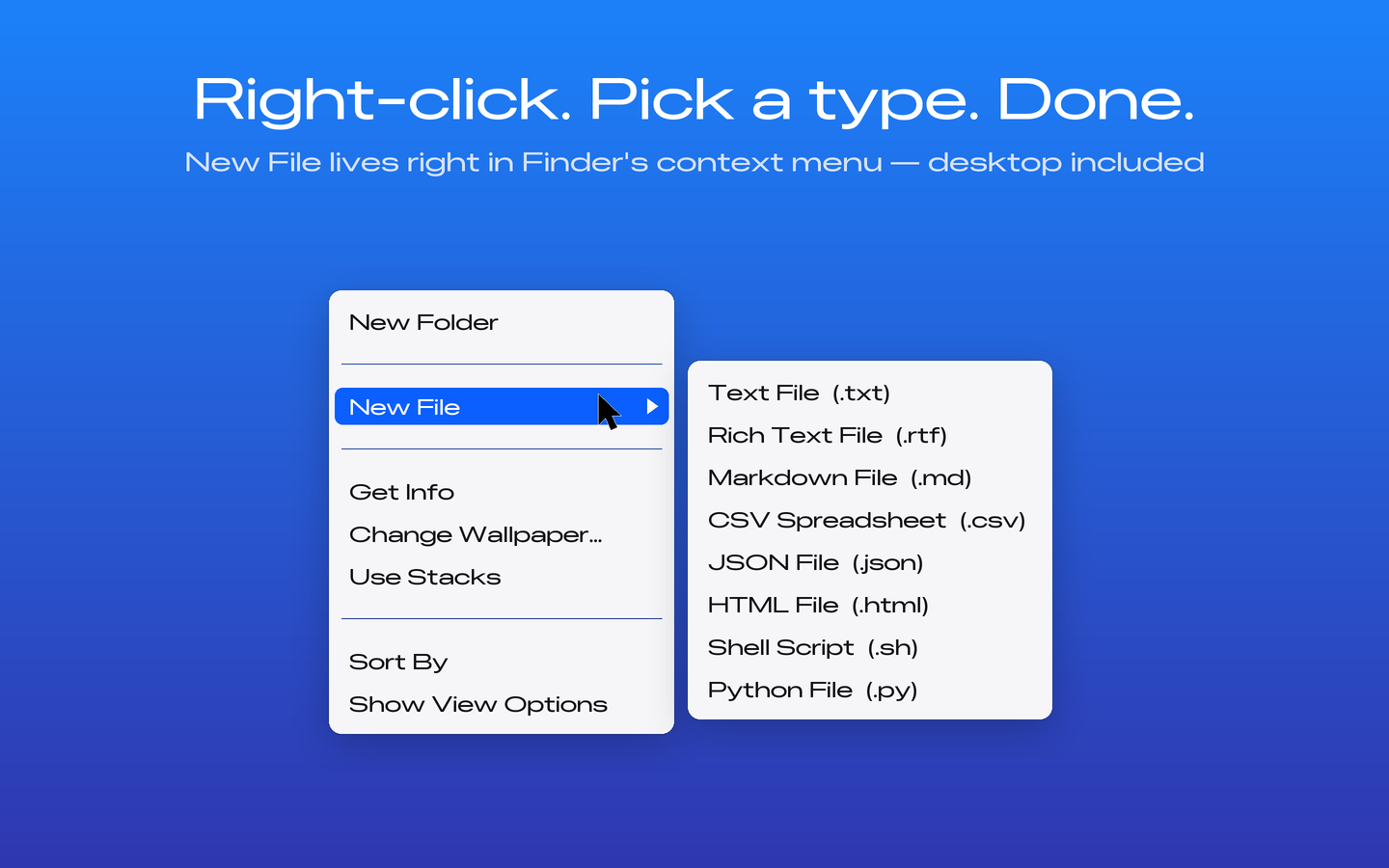
New files appear right where you are, already selected and ready to rename — untitled, untitled 2, untitled 3, never a collision.
.txt
Rich Text.rtf
Markdown.md
CSV Spreadsheet.csv
JSON.json
HTML.html
Shell Script.sh
Python.py
Enable the Finder extension one time. No menu bar clutter, no background agents, zero resources until you actually create a file.
Lives in Finder's own context menu and, if you like, as a button in the Finder toolbar. No extra windows, no floating palettes.
Every new file is auto-selected in Finder, so you can type its real name immediately — exactly the Windows flow you remember.
No accounts, no analytics, no network access at all. Everything happens locally on your Mac. Read the privacy policy.
Stuck? The answer is probably here. Otherwise email newfile@eladkatz.us.
Open the app once and click Open Extension Settings, then turn on New File Context Menu in the list. That's it — right-click the empty background of any Finder window and choose New File. You can quit the app; the menu keeps working.
That's Apple's standard sandbox confirmation, required of every Mac App Store app. You see it once per folder. Tip: when the dialog appears, select your home folder to approve everything inside it in one go.
Open the app and check the status badge. If it says "Extension Off", click Open Extension Settings and enable it. If it's on and the menu still doesn't show, log out and back in (or restart your Mac) once — Finder occasionally needs a nudge to load new extensions.
Not yet — it's planned for an upcoming version. Email me the types you need and they'll influence what ships first.
No. The app makes no network connections and collects nothing. See the privacy policy.